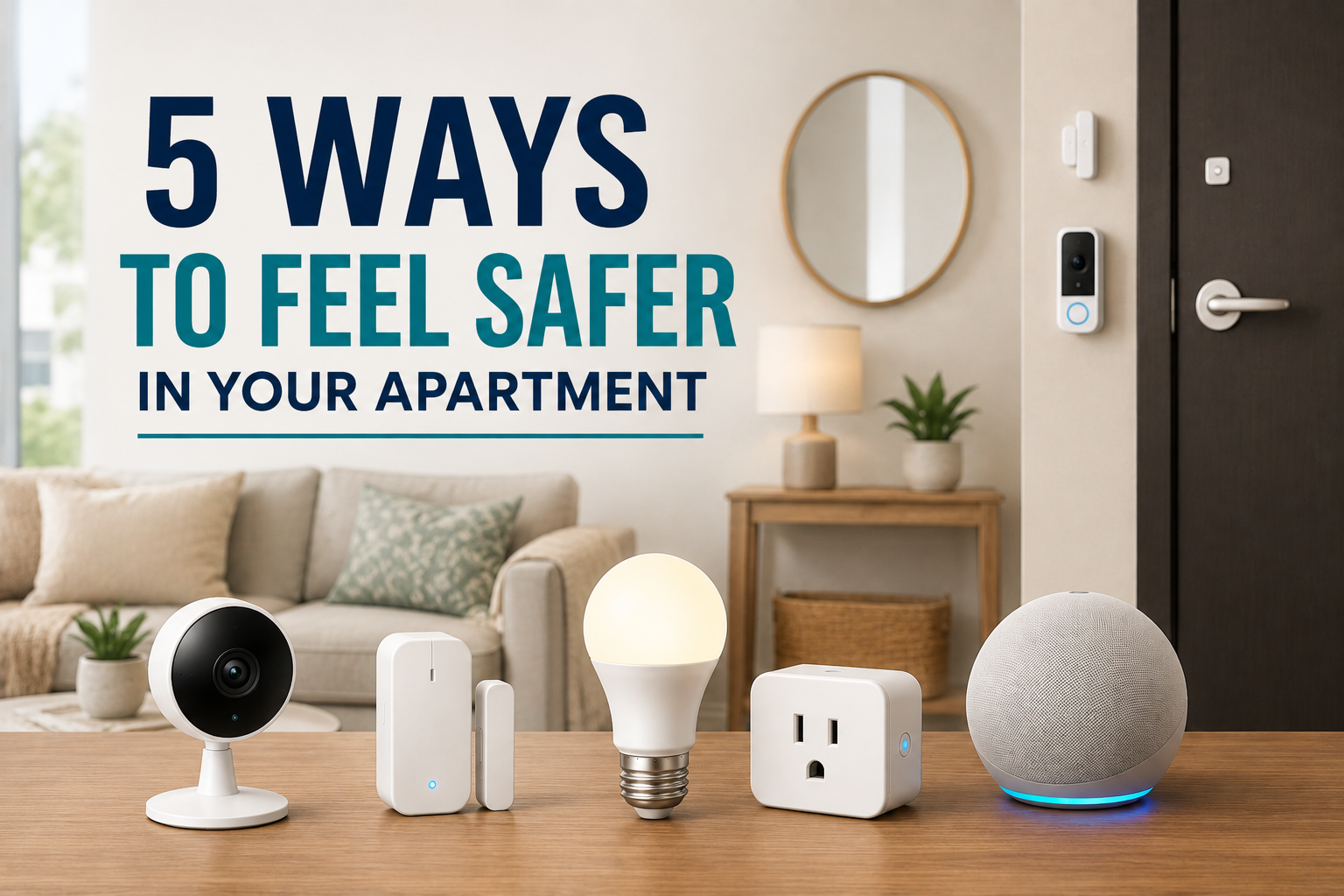
5 Ways to Feel Safer in Your Apartment Using Only Smart Tech
Disclosure: We may earn a commission when you purchase through links on our site, at no additional cost to you.
5 Ways to Feel Safer in Your Apartment
You don’t need an expensive security system to make your apartment feel safer.
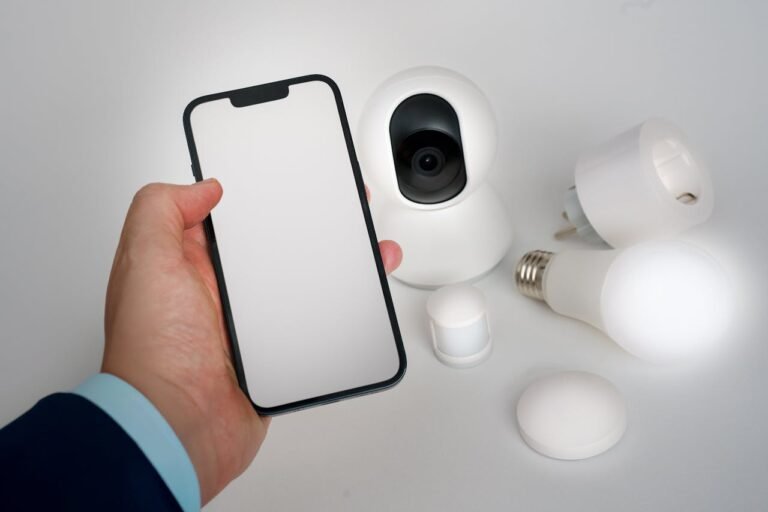
A few inexpensive smart devices can give you better awareness of what’s happening around your apartment, alert you when something changes, and automate lights and other devices when you’re home or away.
And if you’re renting, you don’t necessarily need to drill holes or make permanent changes.
The key is using smart tech to solve specific problems instead of filling your apartment with gadgets you rarely use.
Quick View: Smart Tech for Apartment Safety
| Smart Tech | Best For | Renter-Friendly | Typical Cost | Our Take |
|---|---|---|---|---|
| Smart Indoor Camera | Checking your apartment remotely | ✅ Yes | $20–$50 | Best Overall |
| Smart Door Sensor | Entry alerts | ✅ Yes | $10–$25 | Best for Entry Security |
| Smart Bulb | Automated lighting | ✅ Yes | $10–$25 | Best Budget Pick |
| Video Doorbell / Peephole Camera | Seeing who’s at the door | ⚠️ Check lease | $30–$100+ | Best for Door Awareness |
| Smart Plug | Automating lamps & devices | ✅ Yes | $10–$20 | Best for Automation |
| Motion Sensor | Automatic lights & alerts | ✅ Yes | $15–$30 | Best for Automation |
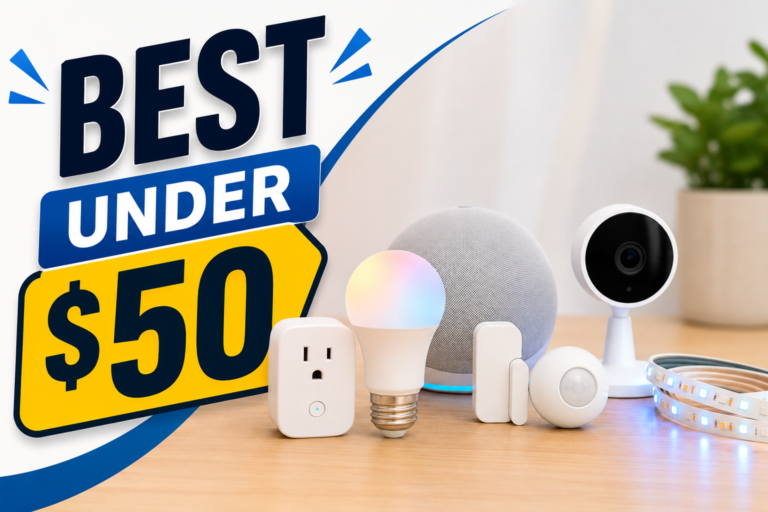
Editor’s Recommendation: Start with a smart indoor camera + smart door sensor + smart bulb. This combination gives you remote visibility, entry alerts, and automated lighting without requiring major changes to your apartment.
Quick 5-Minute Apartment Safety Audit
Before buying anything, walk through your apartment and look at five areas.
1. Check your front door
Stand inside your apartment and look at your entry.
Ask yourself:
Can I tell when the door opens?
Can I see who’s at the door without opening it?
Does the entry area have enough lighting?
A smart door sensor can notify you when the door opens. A compatible camera can give you additional visibility, while a smart bulb can automate the entry lighting.
2. Check accessible windows
Ground-floor apartments and easily accessible windows deserve extra attention.
Think about which windows someone could realistically reach from outside.
You don’t necessarily need a sensor on every window. Start with the ones that make the most sense for your apartment.
3. Check your lighting
Walk through your apartment at night.
Are there dark areas around the entry, hallway, or other places where you regularly walk?
A smart bulb or motion sensor can automate lighting so you don’t have to search for a switch in the dark.
4. Check what happens when you’re away
Imagine you’re leaving for a weekend.
Would your apartment look completely empty?
Do you have a way to check what’s happening inside?
Could you automatically turn selected lights on and off?
Smart cameras, smart plugs, and smart bulbs can help with these tasks.
5. Check your smart-home accounts
This one gets overlooked.
If you already have smart cameras or other connected devices, make sure you’re using strong passwords and enable two-factor authentication when the manufacturer offers it.
Also keep the device’s firmware and mobile app updated.
A smart security device is only useful if you’ve secured the account controlling it.
1. Add a Smart Camera You Can Check From Your Phone
A small indoor smart camera can give you another set of eyes when you’re away.
Place it in a common area facing your apartment’s interior entryway or another useful location. When you’re at work, traveling, or simply in another room, you can use your phone to check what’s happening.
Look for features such as:
- Motion detection
- Mobile notifications
- Night vision
- Two-way audio
- Local storage or cloud recording
- Privacy controls
You don’t need five cameras in a small apartment.
One camera positioned correctly can provide plenty of useful coverage.
What can you actually do with a smart camera?
Maybe you heard a strange noise while you were away.
Maybe you received a motion notification.
Maybe you’re expecting a delivery.
Instead of wondering what’s happening, you can check your phone.
A camera can also provide useful information when you’re checking on a pet or making sure you didn’t leave something running.
Apartment tip: Don’t point your camera toward a neighbor’s door, shared hallway, or another area where you could unnecessarily capture people outside your household. Position it toward the interior of your apartment whenever possible.
2. Put a Smart Door Sensor on Your Main Entry
A smart door sensor is tiny, but it can provide useful alerts.
The sensor typically consists of two small pieces. One attaches to the door and the other attaches to the frame. When the door opens, the two pieces separate and the sensor detects the change.
You can then create an alert or automation.
For example:
Door opens → phone notification
You could also create:
Door opens → entry light turns on
That’s useful when you arrive home with your hands full.
Why I like door sensors for apartments
They’re inexpensive.
They’re usually easy to install.
And they don’t require you to replace your existing door hardware.
That makes them particularly attractive for renters.
You can also use sensors on selected windows if your apartment layout makes that practical.
Check your lease before attaching anything permanent or using adhesive products that could damage paint.
3. Use Smart Lights to Make Your Apartment Look Occupied
One of the easiest smart-home upgrades is also one of the cheapest.
Smart bulbs and smart plugs let you automate lights.
Instead of leaving one light on all day when you’re traveling, you can create a schedule that makes your lighting activity less predictable.
For example:
6:30 PM: Living room lamp turns on.
9:30 PM: Bedroom light turns on.
11:00 PM: Most lights turn off.
You can also control the lights remotely if your plans change.
The goal isn’t to make your apartment look like someone is definitely home.
It’s simply to avoid an obviously predictable pattern, such as leaving the exact same light on for several days.
Smart plug or smart bulb?
I’d use a smart bulb when you want to control the light itself.
I’d use a smart plug when you’re automating a compatible lamp that doesn’t have smart functionality.
For most renters, both are simple options.
An even better use for smart lighting
Combine a smart bulb with a motion sensor.
You walk into the hallway.
Motion detected → light turns on.
You leave.
No motion → light turns off.
Now the technology is doing something useful instead of simply giving you another way to turn on a light.
4. Consider a Video Doorbell or Peephole Camera
Your apartment’s front door is one of the most important areas to think about.
If your building allows it, a video doorbell or peephole-style camera can give you additional awareness of what’s happening outside your door.
You may be able to see who’s at the door without opening it.
Some devices can also provide motion alerts or two-way communication.
But apartment buildings create an extra consideration:
Your lease and building rules.
Some properties prohibit residents from installing devices on exterior doors or modifying common areas.
Before buying anything, check your lease and ask property management whether the device is allowed.
A renter-friendly alternative
If you can’t install a traditional video doorbell, look for a device designed specifically for renters that doesn’t require permanent modification.
You can also rely on an indoor camera positioned toward the inside of your entryway.
That’s less convenient, but it avoids modifying the exterior of your apartment.
Don’t forget your neighbors
A camera positioned outside your apartment can potentially record people who aren’t part of your household.
That’s another reason to check building rules and think carefully about camera placement.
The goal should be useful awareness around your own apartment, not surveillance of everyone who walks down the hallway.
5. Create One “I’m Away” Smart Routine
This is where individual gadgets become much more useful.
Instead of controlling every device separately, create one routine for when you leave.
For example:
Leave home → selected lights turn off → smart plugs shut down → camera switches to monitoring mode → notifications remain enabled.
When you return:
Arrive home → entry light turns on → selected devices return to normal.
The exact automation depends on the smart-home platform and devices you own.
But the idea is simple.
One action controls several things.
That saves time and reduces the chance that you’ll forget something.
Where Should You Put Each Smart Device?
Buying the right gadget is only half the job.
Placement matters.
Smart camera
Put the smart camera somewhere with a useful view of your apartment’s interior, such as an entryway or common living area.
Avoid private spaces such as bathrooms and bedrooms.
Door sensor
The main apartment entrance is the obvious starting point.
If appropriate for your situation, add sensors to accessible windows.
Motion sensor
Hallways, entry areas, closets, and other spaces where you regularly walk through are good candidates.
A motion sensor doesn’t need to sit in the middle of your living room doing nothing.
Smart bulb
Use one in an entryway, living room, hallway, or another area where automated lighting provides a real benefit.
Smart plug
Connect a compatible lamp or other suitable device that you’d like to automate.
Don’t assume every appliance should be connected to a smart plug. Check the device’s electrical requirements and whether automatically restoring power is appropriate.
Best Smart Setup by Apartment Type
Your ideal setup depends on the apartment you live in.
Studio Apartment
Keep it simple.
Recommended: Smart camera + door sensor + smart bulb.
A single camera can cover much of the apartment, while the sensor protects the primary entry and the smart bulb provides automated lighting.
One-Bedroom Apartment
You have a little more space to cover.
Recommended: Smart camera + door sensor + smart lighting.
Add a motion sensor if you have a dark hallway or entry area.
Two-Bedroom Apartment
You may benefit from more than one sensor.
Recommended: Smart camera + entry sensor + selected window sensors + smart lighting + motion sensor.
You don’t necessarily need a camera in every room.
Focus on the areas that actually matter.
Ground-Floor Apartment
I’d put more emphasis on windows.
Recommended: Smart camera + door sensor + sensors on selected accessible windows + smart lighting.
Think about which windows are realistically reachable rather than putting sensors everywhere.
Upper-Floor Apartment
Your priorities may be different.
Recommended: Smart camera + door sensor + smart lighting.
You can add window sensors where appropriate based on your apartment’s layout.
Small Budget
You don’t need everything at once.
Start with: Door sensor + smart bulb.
Then add a smart camera when you’re ready.
Frequent Traveler
Remote visibility becomes more valuable.
Start with: Smart camera + door sensor + automated lighting.
Create an away routine before your next trip.
The Best Smart Apartment Security Setup Under $100
You don’t need to spend hundreds of dollars.
A simple setup could include:
Smart camera: $20–$40
Door sensor: $10–$25
Smart bulb: $10–$20
Smart plug: $10–$20
That can put a basic apartment smart-tech setup somewhere around $50–$100, depending on the devices you choose.
I’d start with the camera and door sensor.
Then add smart lighting.
You can always expand later.
What I Wouldn’t Do in an Apartment
Smart technology can improve awareness and convenience, but it shouldn’t replace basic physical security.
I wouldn’t rely on a cheap camera as my only security measure.
I also wouldn’t install complicated equipment that violates your lease.
And I wouldn’t buy a collection of gadgets from five different ecosystems without checking compatibility first.
That’s how a simple smart apartment turns into a mess of apps, accounts, hubs, and chargers.
Keep it simple.
Watch Out for Subscription Costs
This is one of the easiest things to overlook when shopping for smart security products.
A camera might cost $30 upfront, but certain features could require a monthly subscription.
Before buying, check:
Does it record without a subscription?
Can I store video locally?
Are motion notifications free?
Does the app require a paid plan?
What happens if I cancel the subscription?
A slightly more expensive device with fewer recurring costs can be the better deal over time.
Don’t Forget Privacy
Smart security devices can make you feel safer, but they also introduce another consideration: privacy.
Cameras and microphones can collect sensitive information about your home.
Before buying, look at the manufacturer’s privacy policies and security features.
Use strong, unique passwords.
Enable two-factor authentication when available.
Keep your device firmware and apps updated.
And don’t place cameras in bedrooms, bathrooms, or other private areas.
Your security setup shouldn’t create a new privacy problem.
A Simple Smart Apartment Security Routine
Here’s where you can really see how the pieces work together.
Leaving Home
Door closes → selected lights turn off → smart plugs turn off → camera begins monitoring → notifications remain active.
Coming Home
Door opens → entry light turns on → selected devices return to normal.
Going to Bed
Lights turn off → entry monitoring remains active → security notifications stay enabled.
Going on Vacation
Lights follow a schedule → camera remains available → door and window sensors send alerts.
The exact routine will depend on your devices and smart-home platform.
The important part is the concept.
Automate the boring stuff.
Don’t Overcomplicate Safety
You don’t need a complicated security system to make your apartment feel smarter and safer.
Start with a smart camera, door sensor, and automated lighting.
Those three upgrades can give you better awareness, useful notifications, and more control when you’re home or away.
Then build from there.
The key is to solve actual problems.
If you’re constantly wondering whether your door opened, add a sensor.
If you worry about what’s happening while you’re away, add a camera.
If your apartment looks empty whenever you travel, automate your lights.
Smart technology works best when it quietly handles the little things you don’t want to think about.
Frequently Asked Questions
Can I use smart security devices in a rental apartment?
Yes. Many smart devices are designed for easy installation and don’t require permanent modifications. Smart plugs, bulbs, indoor cameras, and wireless sensors are particularly renter-friendly.
Always check your lease before installing anything that attaches to doors, windows, walls, or shared areas.
What’s the best smart security device for an apartment?
I’d start with a smart indoor camera or door sensor.
A camera gives you visibility, while a door sensor can alert you when your entry door opens. Combining the two provides more useful coverage than relying on either one alone.
Can I install a video doorbell in an apartment?
It depends on your building and lease. Some apartment communities don’t allow residents to modify exterior doors or common areas.
Ask property management before installing one.
Are smart cameras worth it for renters?
Yes, especially if you want to check your apartment remotely. A single well-positioned camera can provide useful awareness without requiring a full security system.
Do smart door sensors require drilling?
Many wireless door sensors use adhesive mounting and don’t require drilling. However, check the manufacturer’s installation instructions and make sure the mounting method won’t damage your apartment.
Can smart lights make an apartment safer?
Smart lights can improve convenience and can make your apartment appear occupied when you’re away. They’re best viewed as one layer of a broader security approach rather than a replacement for locks or other physical security measures.
Do smart security cameras require Wi-Fi?
Most Wi-Fi smart cameras do. Some security devices use other wireless technologies such as Zigbee, Z-Wave, or Thread, depending on the product and smart-home system.
Do smart security cameras require a monthly fee?
Not necessarily. Some cameras offer local storage and basic features without a subscription, while others charge for cloud storage, advanced detection, or extended video history.
Always check the current subscription requirements before buying.
Can I use Alexa, Google Home, or Apple Home with apartment security devices?
Many smart-home security devices work with one or more major smart-home platforms. Compatibility varies by product, so check before purchasing.
Matter-compatible devices can also be worth considering when supported by your chosen smart-home platform.
What’s the cheapest way to make an apartment smarter and safer?
Start with a smart bulb and door sensor.
For a security-focused setup, I’d prioritize a door sensor and an indoor smart camera. You can add automated lighting later.
Should I put a camera outside my apartment door?
Be careful. Apartment hallways and other shared spaces can create privacy and building-policy issues. Check your lease and property rules before placing a camera where it could record neighbors or common areas.
Can smart technology replace an apartment security system?
No. Smart devices can add awareness, notifications, automation, and convenience, but they shouldn’t be treated as a complete replacement for proper locks, building security, smoke and carbon-monoxide alarms, and other appropriate safety measures.
What’s the best smart apartment setup?
For most renters, I’d choose:
1 smart camera + 1 door sensor + 1 smart bulb + 1 smart plug.
That gives you a good balance of monitoring, alerts, automation, and convenience without turning your apartment into a complicated technology project.
Disclosure: We may earn a commission when you purchase through links on our site, at no additional cost to you.